
How to Trigger Events When a Page is Loaded
Use URL Triggers to send a Meta event when someone visits a specific page on your site. This works best for thank-you pages, booking confirmations, and other URL-based milestones. For buttons, forms, and other on-page interactions, start with How to Track Events and use Visual Tagger first.
What URL Triggers do
URL Triggers let PixelFlow trigger an event when a page URL matches the rule you add. Unless you add blocking logic, the event will fire every time that page is visited.
Common examples:
Send Lead on
/thanks-for-booking-a-callSend Search on
/search-resultsSend Subscribe on
/thanks-for-subscribing
If you need more control, add Event Blocking Rules to limit reloads, repeat visits, or bot traffic.
When to use URL Triggers
thank-you pages after a form submission
booking confirmation pages
checkout success pages
other milestones that load on a unique URL
Do not use URL Triggers as the default option for buttons, popups, or forms that stay on the same page. For those, use Visual Tagger first or manual tagging with CSS classes when you need more control.
Create a URL Trigger
Open your PixelFlow dashboard and click + Add URL in the URL Triggers section.
Enter the full page URL you want to track.
Select the event you want to send.
Review any extra options, then click Add URL.
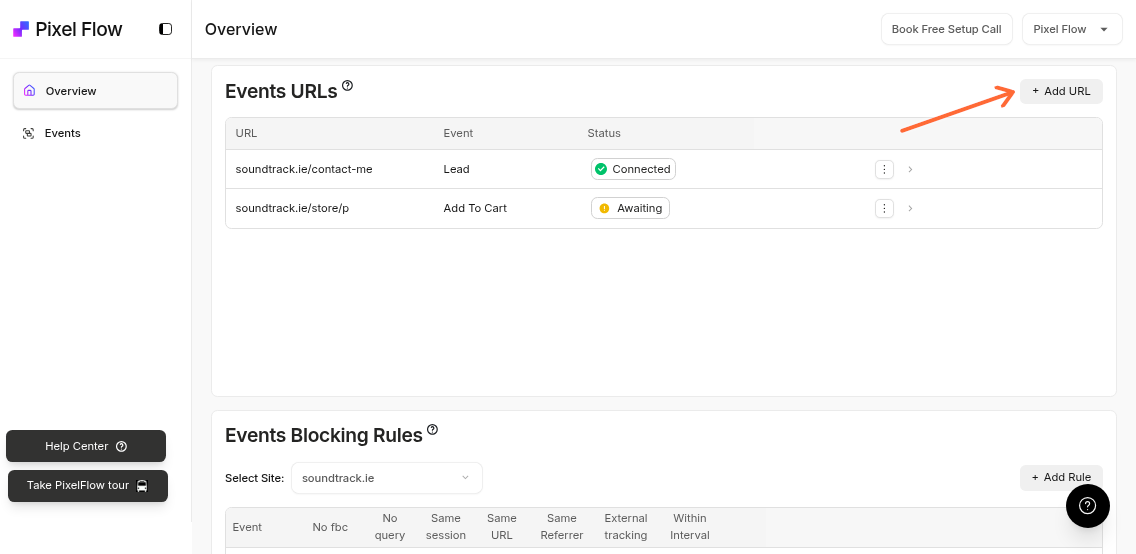
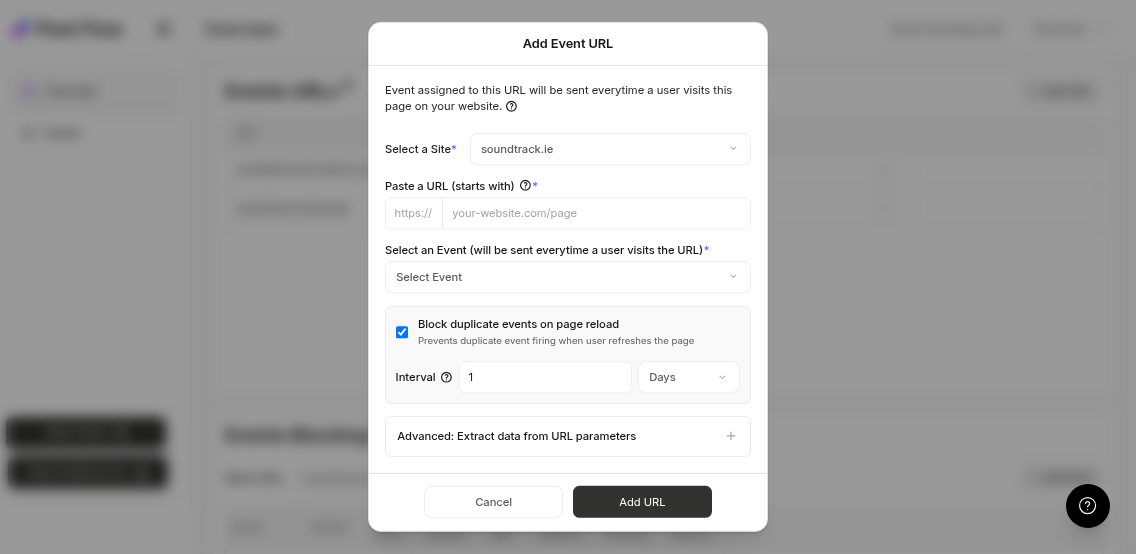
Value parameter: Add a fallback numeric value for supported events like Purchase.
Block duplicate events: Prevent repeat events on reload.
Advanced options: Configure URL parameter extraction and auto-extraction features.
Add a value to supported events
Some events support a numeric value, such as Purchase or AddToCart. You can add a fallback value if PixelFlow is not extracting one from the page.
Values support up to two decimal places
The field appears only for supported events
Block duplicates on page reload
PixelFlow can block duplicate events caused by page refreshes.
Block duplicate events on page reload is enabled by default
You can change the blocking interval in minutes, hours, or days
This uses the same blocking logic as Advanced Blocking Rules
PixelFlow matches URLs by prefix. If you add mywebsite.com/product, it will also match pages like mywebsite.com/product/item-1.
Advanced Feature - Extract Data from URLs
If your URLs contain additional metadata like name, email, phone etc. you can auto extract this from each URL
View More Information