
How to use Conversions Journeys
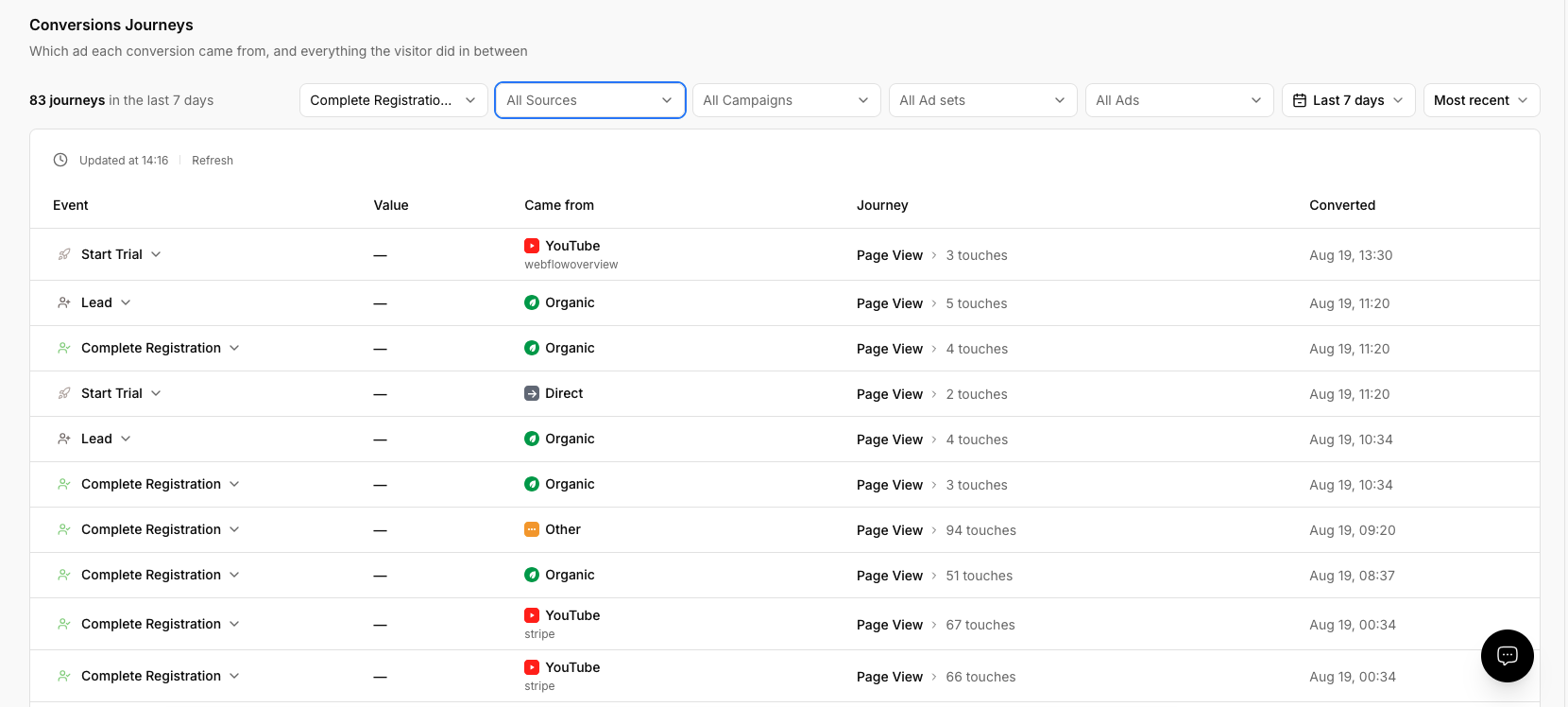
Conversions Journeys shows which ad each conversion came from and everything the visitor did in between, rebuilt from the events PixelFlow already captured. There is nothing to set up: journey data is generated automatically from your existing event records, and you read it from the Conversions Journeys page in the dashboard sidebar (at /dashboard/journeys).
Open Conversions Journeys from the dashboard sidebar. Choose the site you want to analyze, then set the filters at the top of the page.
Filter the journey list
Filters narrow the conversions shown to one event type, traffic source, campaign, ad set, or ad, and to a date range.
Event, default All Events — narrows results to one conversion event type.
Source, default All Sources — narrows results to one traffic source.
Campaign, default All Campaigns — maps to
utm_campaign.Ad set, default All Ad sets — maps to
utm_term.Ad, default All Ads — maps to
utm_content.Date range — Last 7 days (default), Last 30 days, Last 90 days, or Custom.
Sort the list by Most recent (default) or Highest value. Filters reset when you change the site or date range, and any filter or sort change returns you to page one.
Read the conversion table
Each row shows the conversion event type and color, its value and currency, the conversion timestamp, and its source, campaign, ad set, and ad. The Came from cell shows the event source, the campaign and ad content when those UTM values are present, and (not set) when no source exists.
A journey is only shown if it contains one of these particular conversion events: Purchase, Lead, Schedule, CompleteRegistration, StartTrial, Subscribe, Contact, Donate, and SubmitApplication.
PageView and ViewContent events do not create journeys.
Expand a row to inspect the customer journey
Expand a row to see the touchpoints that led to that conversion.
The expanded view shows Customer journey with First touch, Last touch, Touches, Time to convert, and whether the visitor was a New visitor or Returning buyer, followed by a chronological timeline of touchpoints and the final conversion anchor.
Journey history and plan limits
The Standard plan shows you up to 7 days of journeys, and the Growth and Agency plans covers 90 days.