
How to approve a domain in Meta Events Manager
When Meta detects events from a new domain, it may block them until you confirm the domain belongs to you. If your events are not showing in Meta Events Manager, check whether your domain needs approval and add it to the allow list.
Approve your domain
Open Meta Events Manager and select your dataset.
Click on the Settings tab. Scroll down to the Traffic permissions – Websites section.
Click Edit next to the allow list.
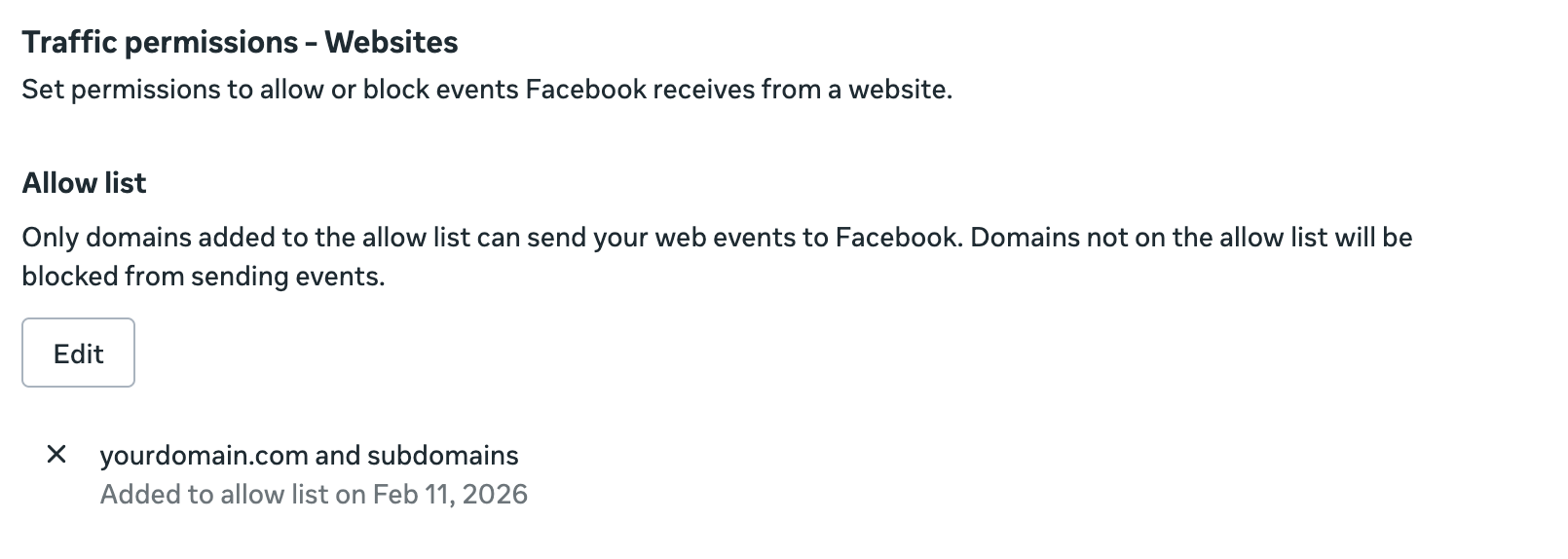
Ensure your domain is on the allow list. If it is missing, add it and save.
Only domains on the allow list can send web events to your Meta dataset. If a domain is not on the list, Meta blocks the events entirely.
After approving
Once the domain is allowed, events should begin flowing into Meta Events Manager. If they still do not appear after 20–40 minutes, follow the full troubleshooting checklist in Why are my events not showing in Meta Events Manager?